
Capabilities
Billing
The extensive Panoramix Billing system offers very comprehensive, flexible, and configurable billing for advisors.
Panoramix™ Billing
Overall features include:
- Ability to establish multiple tiered fee schedules.
- Ability to combine and tier accounts by household.
- Ability to override fees on an account and holding level.
- Multiple valuation methods such as ending balance and average balance.
- Ability to bill an account to another household account.
- Ability to create fee statements.
- Ability to do mid-term billing.
- Ability to set minimum and maximum bill amounts or waive small fees.
- Ability to set billing cycles to bill different clients on different cycles.
- Support for multi-custodian billing in a single billing run.
- Asynchronous processing allows you to submit billing runs come back to them when you are ready.
Setup Fees
Highly configurable fee schedules, billing cycles, and exceptions:
- Multiple Tiered Fee Schedules: Ability to establish tiered fee schedules and optionally configure taxes, minimum or maximum fees, and advisor breakdowns.
- Billing Cycles: Ability to setup unlimited billing cycles and assign accounts to them.
-
Multiple Exceptions and Overrides: Ability to override fees in multiple ways:
- Account Level: Exclude from billing, set a flat percentage or dollar amount, apply credits or debits, bill to another account, or setup a billing start date.
- Holding Level: Exclude from billing or set a flat percentage or dollar amount.
- Fee Statement Memo: Ability to add a memo or comment for an account to the generated fee statements.
Generate Fees
Quickly and easily generate your fees whenever you need to:
- Multiple time frames: Bill monthly, quarterly, semi-annually, annually, or mid-term.
- Multiple valuation methods: Bill based on an ending balance, average balance, ending balance plus weighted flows, or weighted flows only.
- Multiple tiering options: Tier based on the household ending balanced, the average balance, or a combination based on rules.
- Multiple filtering options: Filter your fees by custodian, rep code, billing cycle and more.
- Multiple custodian exports: Export your fees to Excel, or to a file format customized for TD Ameritrade, Schwab, LPL, or Fidelity.
- Cancelation Billing: Run fees for a given client or account to determine final fees to charge or refund if the accounts are leaving.
- Asynchronous Processing: Submit billing runs and go about your day and come back to them when you are ready.
Statements And Reports
Several levels of reports allow customized statements for clients and access to your firm's fees:
- Fee Statement: A simple statement of fees for a houshold broken down by account.
- Detailed Fee Statement: A very detailed statement of fees for a household, with calculations, broken down by account.
- Fee Summary: A summary of fees for a client for any given timeframe, broken down by quarter and account and summarized for the household.
- Batch Reporting: Panoramix offers the ability to generate statements for all of your clients at once and save them in the client portal, email them to the client, save to external sources, or print.
- Fee Dashboard: A dashboard to see all the fees you have charged for any given timeframe, with the ability to group, sort, and filter in a variety of ways.
Sample Reports and Screens
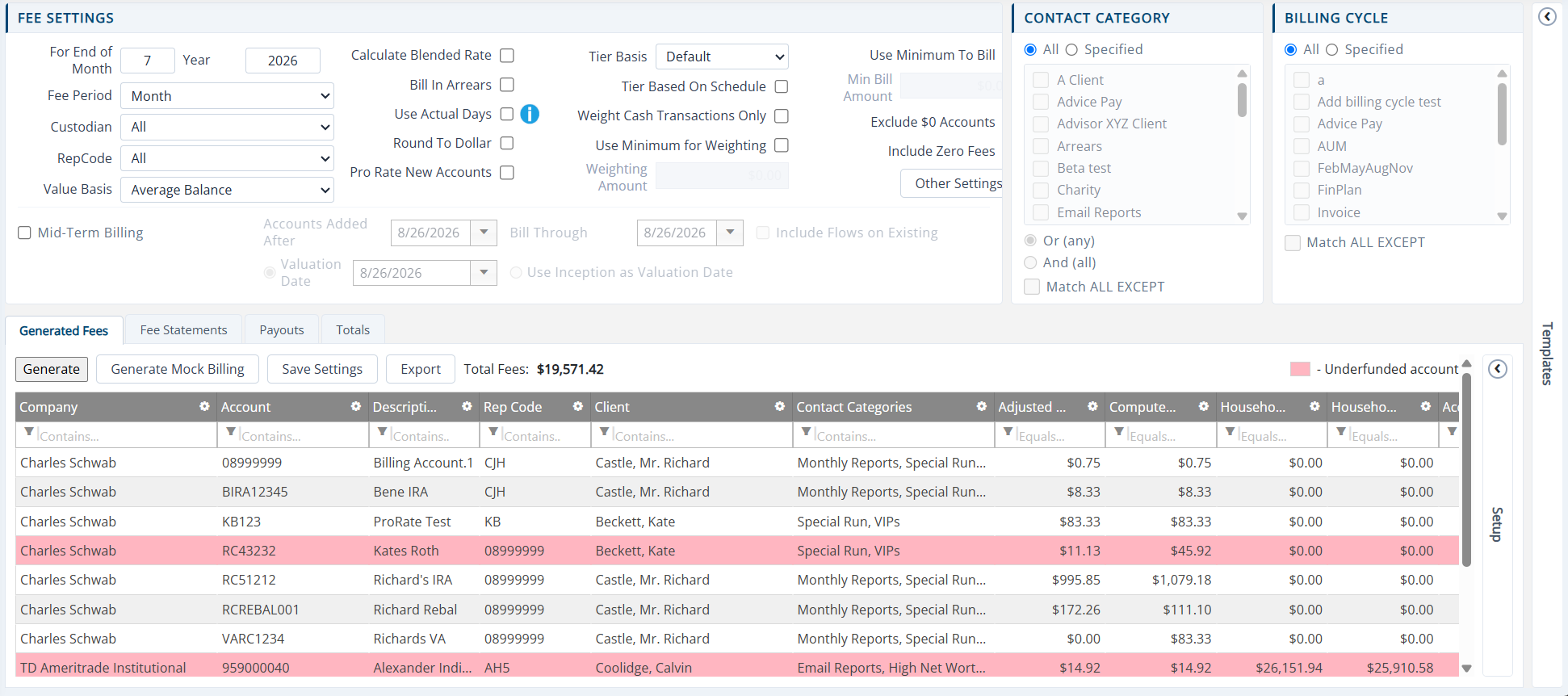 Generate Fees (opens a larger view)
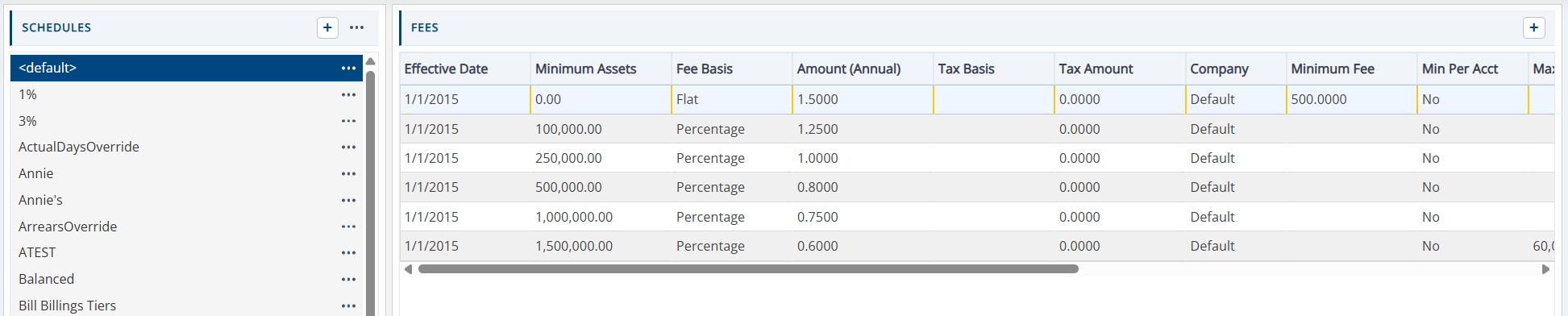 Fee Schedules (opens a larger view)
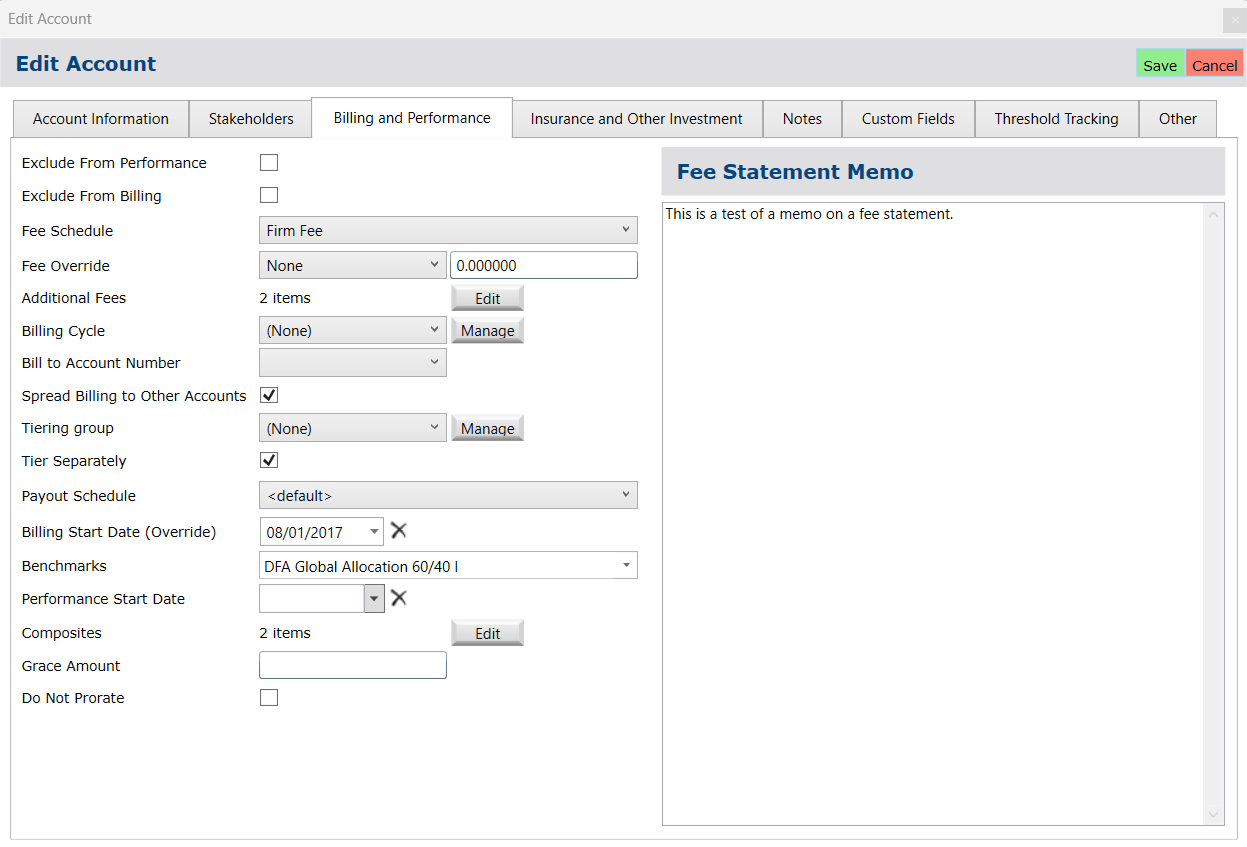 Fee Overrides (opens a larger view)
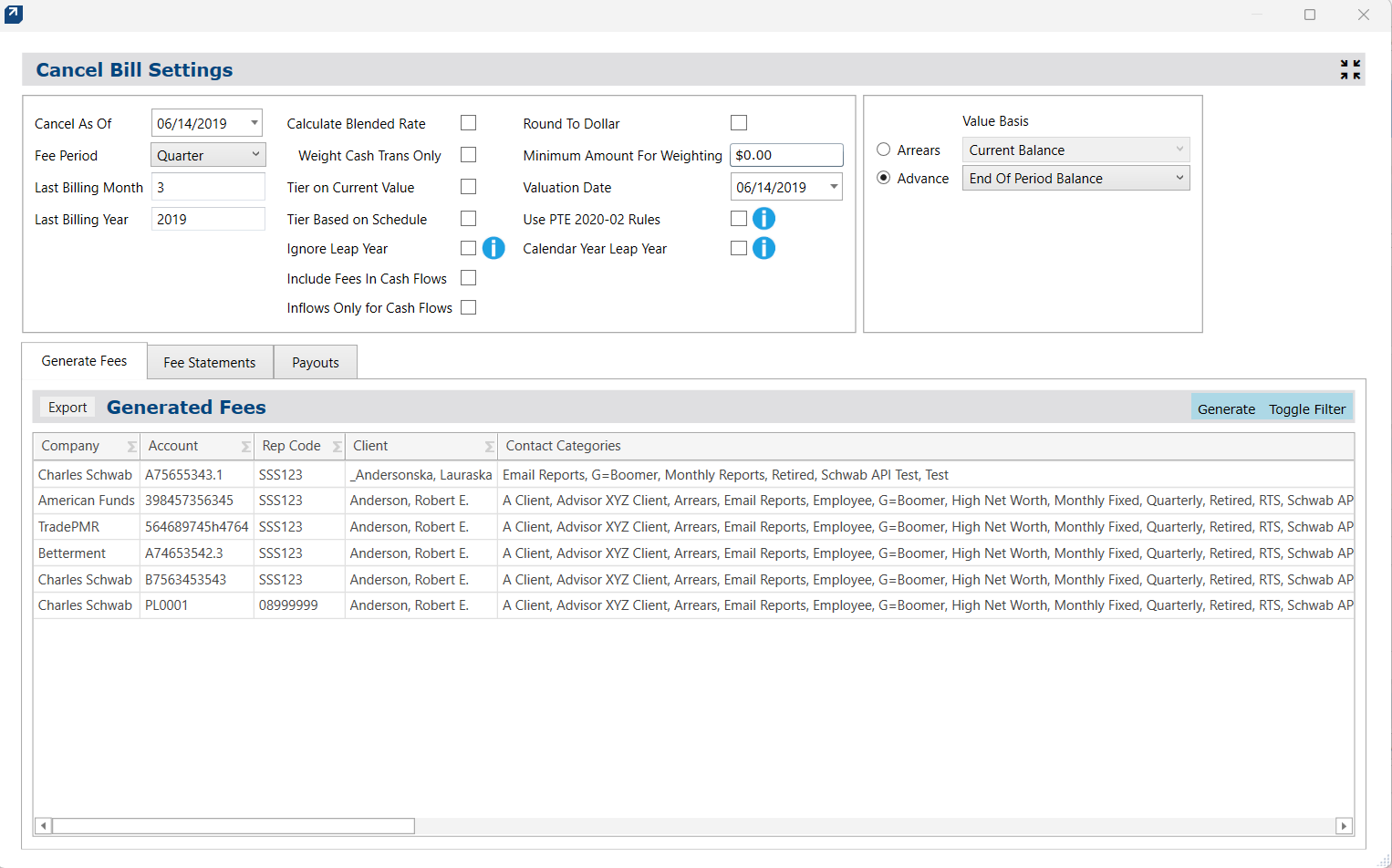 Cancelation Billing (opens a larger view)
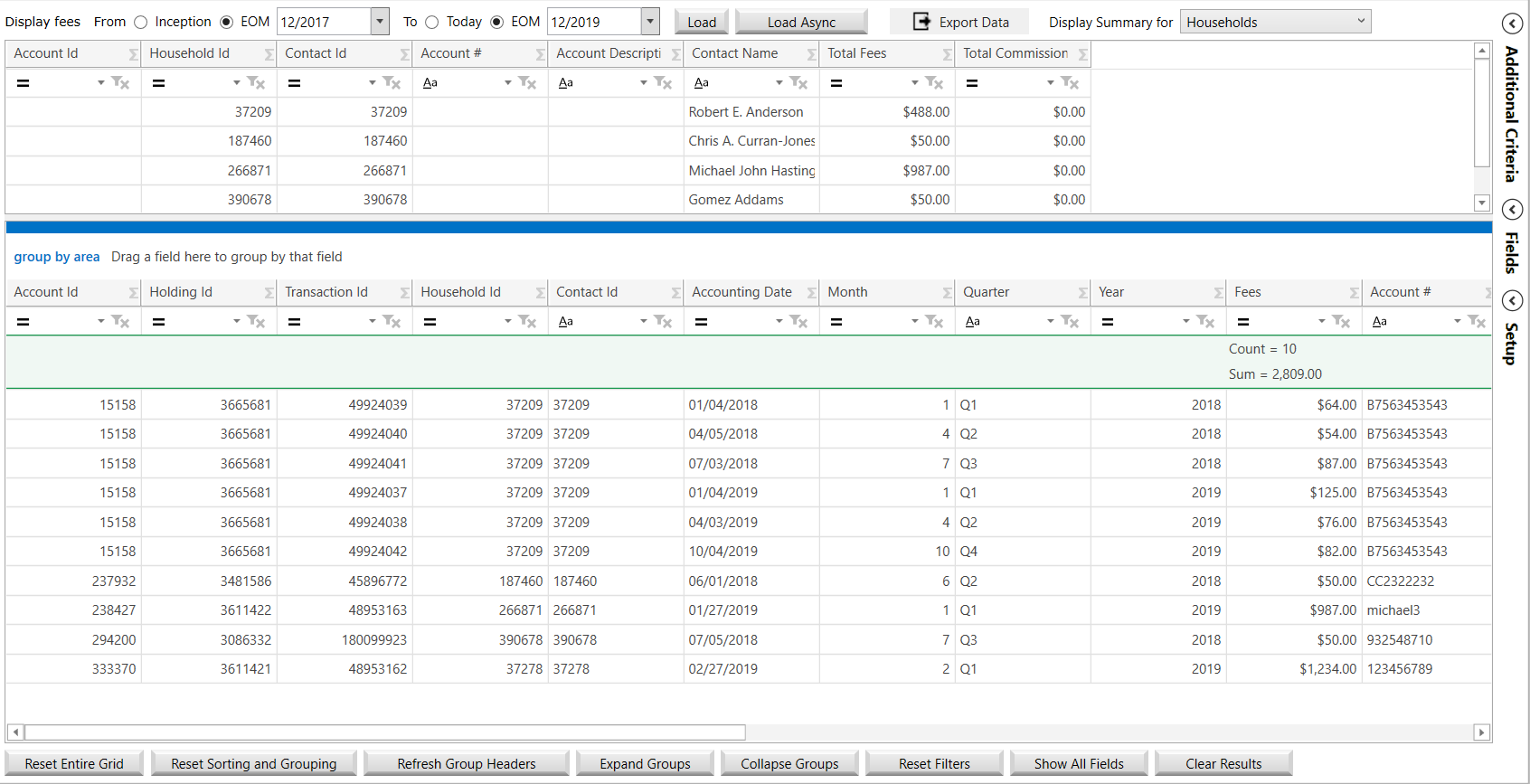 Fee Dashboard (opens a larger view)
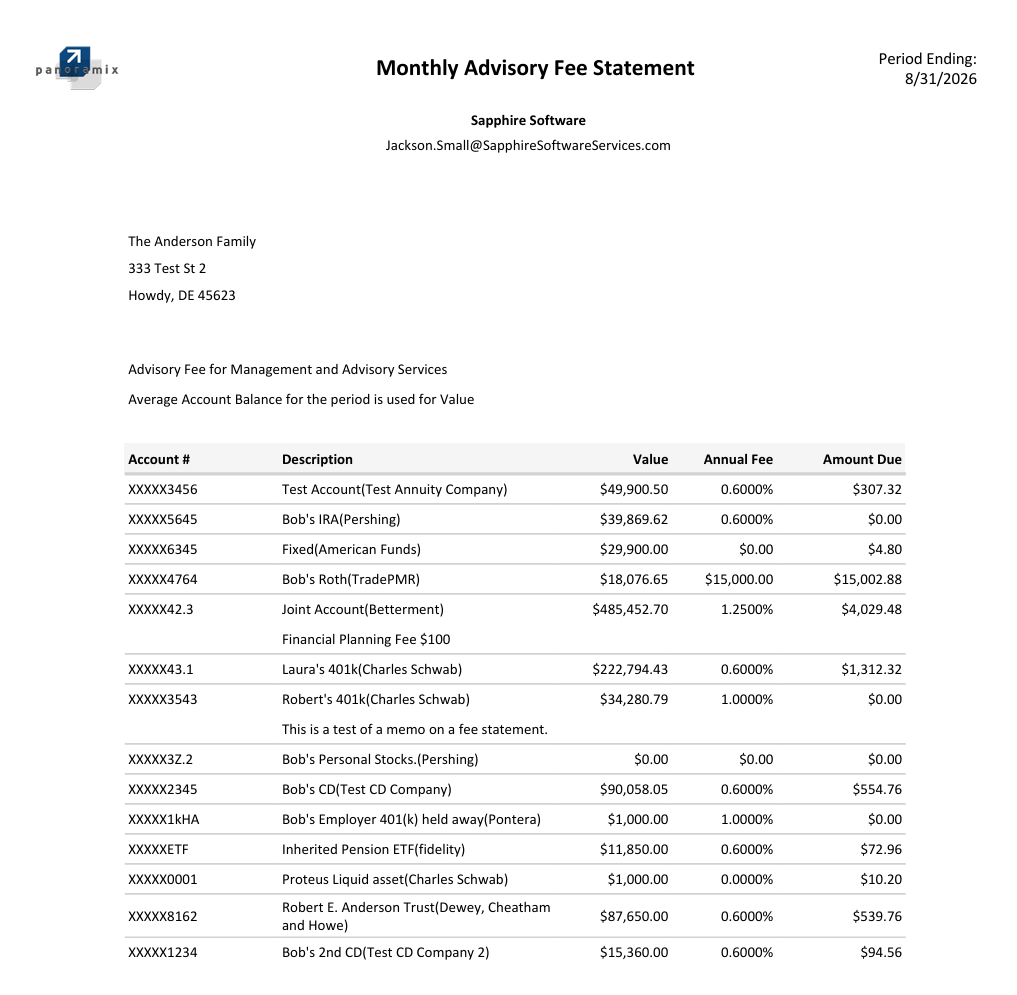 Fee Statement (opens a larger view)
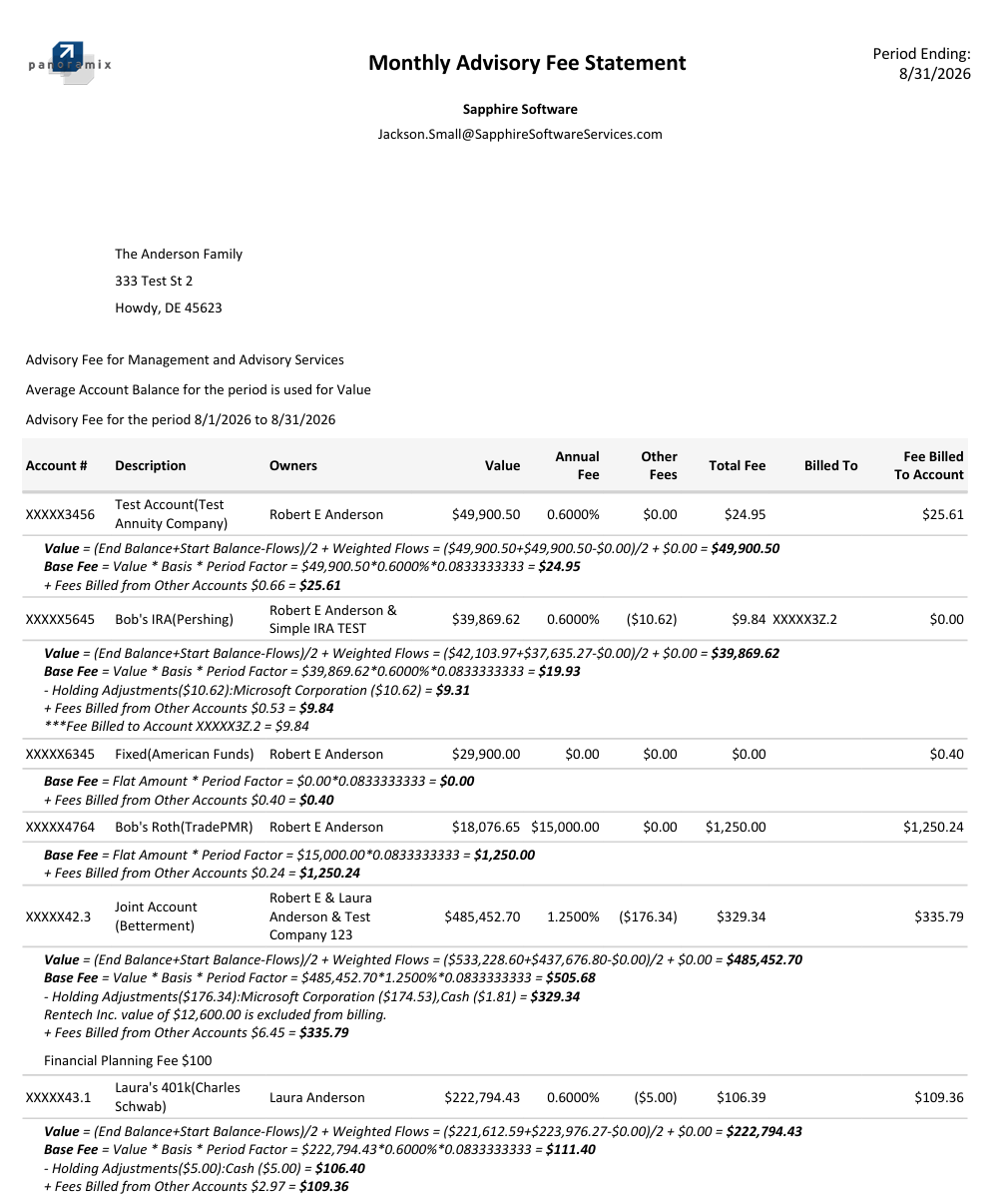 Detailed Fee Statement (opens a larger view)
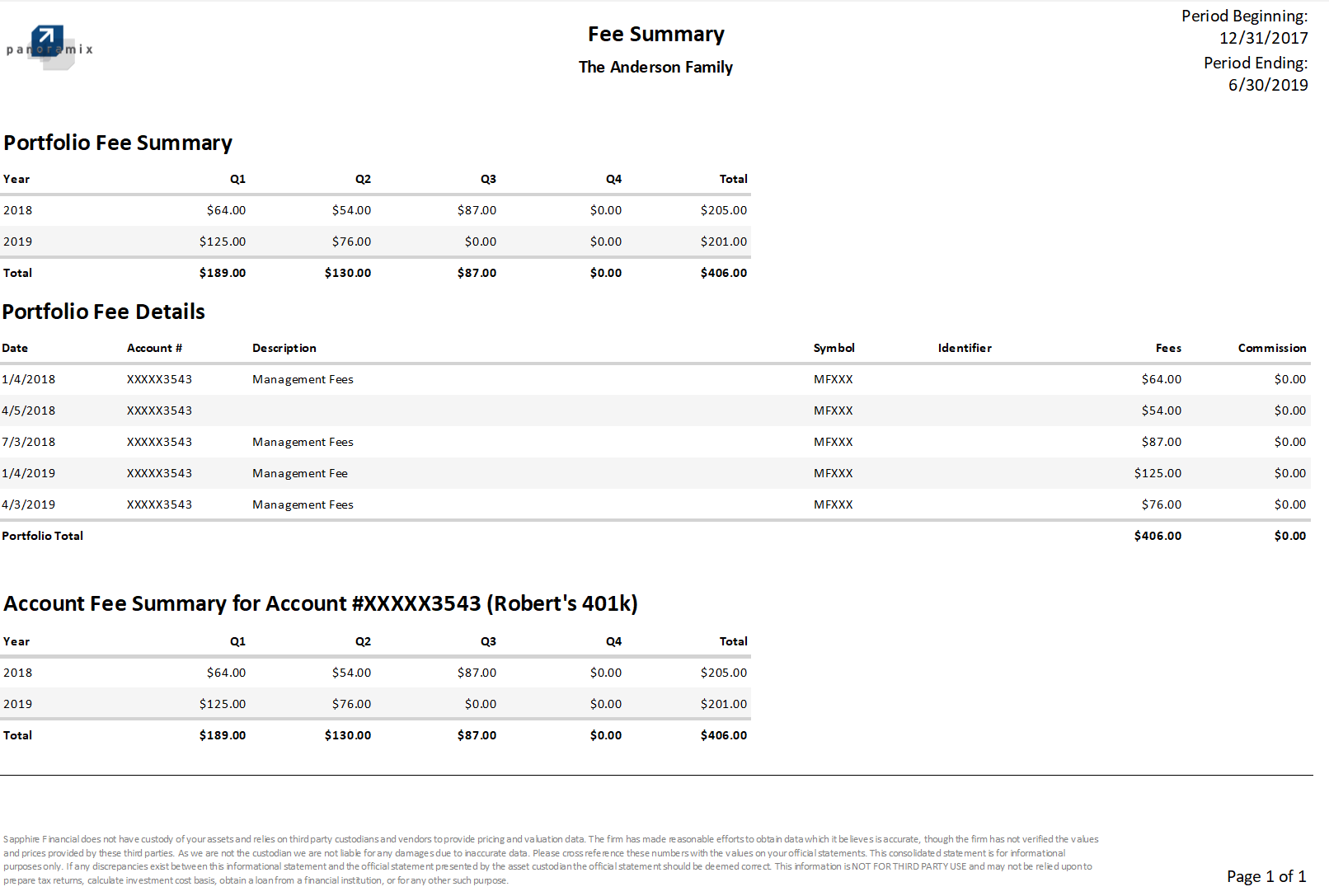 Fee Summary (opens a larger view)
Pricing
Combined with our best in industry service support and low cost pricing, Panoramix is the best value in the industry.
Panoramix Base License Fee based on Assets On Platform (AOP). See full pricing